How to Delete TeraBox Account Permanently?
Managing cloud storage has become a normal part of daily life because people now save photos, videos, documents, assignments, and office files online instead of storing everything on their phones. One of the most popular cloud storage platforms is TeraBox because it provides large storage space, simple file sharing, and easy backup features.
However, many users later decide to delete their accounts for privacy reasons, storage management, subscription issues, or because they no longer use the service. Beginners often become confused because the delete option is hidden inside settings, and many people do not know what happens after account removal.
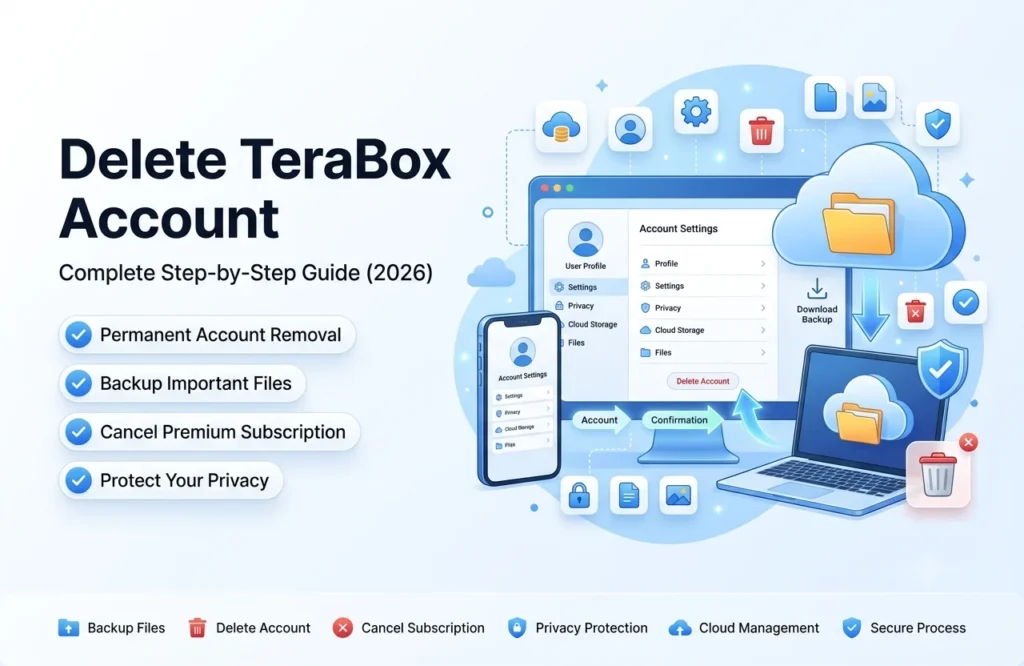
If you are using TeraBox MOD APK, TeraBox Premium APK, or TeraBox No Ads APK, this detailed tutorial will help you understand the complete deletion process step-by-step. This guide also explains subscription cancellation, file backup safety, common problems, and important precautions before deleting your account permanently.
Also Check: Recover deleted files in terabox
Why Users Want to Delete Their TeraBox Account
Different users remove their accounts for different reasons. Some people simply stop using cloud storage apps, while others want to switch to another platform with different features.
Common reasons include:
- Privacy concerns
- Unused old account
- Switching to another cloud storage app
- Storage management issues
- Subscription problems
- Creating a new account
- Removing personal files permanently
- Too many advertisements in free versions
Many users also search for account deletion tutorials after testing TeraBox MOD version or premium unlocked applications.
Important Things to Do Before Deleting Your Account
Before permanently removing your account, there are some important things you should understand. Many beginners accidentally lose important files because they delete their account without creating backups first.
Your TeraBox account may contain:
- Family photos
- Videos
- Study notes
- Office reports
- PDFs
- Assignments
- Personal documents
Once the account is permanently deleted, recovering these files may become impossible.
Important Safety Tips
Before deleting your account:
- Download important files to your device
- Save backup copies on another cloud storage platform
- Remove private shared links
- Cancel active premium subscriptions
- Double-check account login details
These small precautions can help prevent future problems.
How to Delete TeraBox Account from Mobile App
Most users access TeraBox through Android devices, so understanding the mobile method is very important.
Step 1: Open the TeraBox App
Launch the app on your smartphone and sign in to the account you want to remove. Make sure your internet connection is stable before starting the process.
Step 2: Go to the Profile Section
After opening the app, look for the profile icon at the top or bottom corner of the screen. Different app versions may show the profile section in slightly different locations.
Inside the profile area, you will see account-related settings and storage management options.
Step 3: Open Settings
Tap the settings option carefully. Here you will usually find:
- Account Center
- Privacy Settings
- Security Settings
- Storage Management
- Account Information
Open the account management section to continue.
Step 4: Find the Delete Account Option
Scroll down slowly until you see options like:
- Delete Account
- Close Account
- Permanently Remove Account
Tap the delete option to proceed further.
Step 5: Verify Your Identity
For security purposes, TeraBox may ask for verification before deleting the account permanently.
Verification methods may include:
- Password confirmation
- Email verification
- OTP code
- Linked mobile confirmation
Complete the verification process properly.
Step 6: Confirm Permanent Deletion
The app will now show a warning message explaining that your uploaded files, shared folders, backups, and account access may be removed permanently.
Read the instructions carefully before tapping the final confirmation button. Once confirmed, your account deletion request will be submitted successfully.
How to Delete TeraBox Account Using PC or Website
Some users prefer using laptops or desktop computers because managing settings on a larger screen feels easier.
First, open the official website of TeraBox and log into your account. After signing in, click your profile icon and open the settings page.
Inside the settings section, navigate to:
- Privacy Settings
- Security Center
- Account Management
Here you will usually find the delete account option. After selecting it, the platform may ask for account verification before continuing.
Once verification is completed, carefully read the warning instructions and confirm the permanent deletion request.
Also Check: Login problems and solutions
How to Cancel TeraBox Premium Subscription
Many users make the mistake of deleting the app without canceling premium billing first. This can sometimes cause future subscription charges to continue even after uninstalling the application.
If you are using TeraBox Premium APK or a paid membership plan, cancel your subscription before deleting the account.
Cancel Subscription on Android
Android users can cancel subscriptions through the Google Play Store.
Follow these steps:
- Open Google Play Store
- Tap your profile icon
- Open “Payments & Subscriptions”
- Select “Subscriptions”
- Find TeraBox subscription
- Tap “Cancel Subscription”
After confirmation, billing should stop according to your subscription cycle.
Cancel Subscription on iPhone
iPhone users can manage subscriptions through Apple settings.
Follow these steps:
- Open iPhone Settings
- Tap Apple ID
- Open “Subscriptions”
- Select TeraBox
- Tap “Cancel Subscription”
Always confirm that the subscription status changes successfully before deleting the account.
Common Problems While Deleting TeraBox Account
Some users face small technical issues during account removal. Most of these problems can be solved easily without advanced technical knowledge.
Delete Option Not Appearing
Sometimes users cannot find the delete account option because they are using an outdated app version or the interface has changed after updates.
Possible solutions include:
- Update the app
- Restart your phone
- Try the website version
- Clear app cache
Verification Code Not Received
This problem usually happens because of internet issues or delayed server response.
You should:
- Check spam folder
- Verify network connection
- Wait a few minutes
- Retry verification
App Crashing During Deletion
If the app crashes repeatedly, the issue may be related to device storage or temporary bugs.
Simple fixes include:
- Clear cache data
- Restart device
- Reinstall application
- Free phone storage
What Happens After Deleting Your TeraBox Account?
After permanent deletion, most account-related data stops working completely. Users may lose access to uploaded files, shared folders, backups, and premium storage features.
Usually after deletion:
- Files become inaccessible
- Shared links stop working
- Login access ends
- Cloud backups stop syncing
- Premium features are removed
Some systems may temporarily keep limited data for legal or security purposes, but users generally cannot access deleted content again.
Can You Recover a Deleted TeraBox Account?
Account recovery depends on the platform’s policies and how much time has passed after deletion.
In many situations:
- Permanently deleted accounts cannot be restored
- Uploaded files disappear permanently
- Recovery support may not be available
That is why creating file backups before deletion is extremely important for every user.
Why Many Users Prefer TeraBox MOD APK
Even though some users search for deletion guides, many people still prefer TeraBox MOD APK because of its premium unlocked features and smoother cloud storage experience.
Popular reasons include:
- Better storage management
- Faster downloading
- Improved usability
- Ad-free experience
- Premium unlocked tools
- Large file uploading support
This is why keywords like TeraBox Premium APK, TeraBox MOD version, and TeraBox Premium APK Mundoperfecto continue to trend online.
Benefits of TeraBox No Ads APK
Advertisements can sometimes interrupt uploading, downloading, or browsing activities inside the app. Many users search for TeraBox No Ads APK because it provides a cleaner and smoother user experience.
Major benefits include:
- Less interruption
- Faster navigation
- Better browsing experience
- Cleaner interface
- Improved productivity
This becomes especially useful for users managing large numbers of files daily.
Useful Tips Before Removing Your Account
Deleting a cloud storage account is an important decision, so users should prepare properly beforehand.
Helpful tips include:
- Organize files before deletion
- Download important documents
- Remove sensitive shared links
- Check subscription status carefully
- Keep backup copies on another platform
These simple habits can help users avoid accidental file loss and future confusion.
FAQs
Final Words
Deleting your TeraBox account becomes much easier once you understand the proper steps. Whether you are using TeraBox MOD APK, TeraBox Premium APK, or TeraBox No Ads APK, it is important to back up important files and cancel subscriptions before removing your account permanently.
This detailed guide helps beginners understand everything from account deletion and premium cancellation to troubleshooting and file safety. By following these steps carefully, users can safely manage their cloud storage accounts without confusion or accidental data loss.